
What Is an SSL Certificate and Why Does Your Website Need One?
The small padlock next to a website’s address is something most people glance at without thinking. Behind it sits an SSL certificate, a small piece of technology that protects every visit to that site. If your website does not have one, visitors will see a warning instead of the padlock, and many will leave before they ever see your content.
To summarize, an SSL certificate encrypts the connection between your website and your visitors, proving your site is genuine and keeping the data that passes through it private. This guide explains what SSL actually does, why every website needs it and how to get one, often for free.
What is an SSL Certificate?
An SSL certificate is a digital certificate that a website’s server uses to prove its identity and to encrypt the data exchanged with visitors. When a site has one, the address changes from http to https, and browsers show the padlock icon that signals a secure connection.
SSL stands for Secure Sockets Layer, the original name of the technology. The modern version is called TLS, Transport Layer Security, but the term SSL has stuck and the two are used interchangeably. When a vendor sells an SSL certificate today, it is almost always a TLS certificate underneath.
Certificates are issued by certificate authorities, which verify that the person or business requesting the certificate really controls the domain. That verification is what lets visitors trust that they are talking to your website and not an impostor.
How does SSL actually work?
When someone visits a site with SSL, the browser and the server carry out a short handshake. The server presents its certificate, the browser checks it against the issuing authority, and the two agree on a set of encryption keys.
From that point, everything travelling between the browser and the server is scrambled. Someone who intercepts the connection, on a shared Wi-Fi network or anywhere in between, sees only a jumble of characters instead of readable data. That protection matters for passwords, payment details, contact forms and any personal information visitors enter on your site.
Why your website needs an SSL Certificate
There are five practical reasons every website should run SSL, even a simple brochure site with no forms or payments:
- Encryption – Any data your visitors submit, from login details to contact form messages, stays private in transit.
- Trust – The padlock reassures visitors the site is genuine, which matters far more for small businesses building confidence.
- Search Visibility – Google has used HTTPS as a ranking signal for years, so a secure site has a small edge over an insecure one.
- Browser Warnings – Without SSL, Chrome, Safari and other browsers label your site as not secure, which drives visitors away.
- Compliance – If you take card payments, PCI standards effectively require encryption on the pages handling payment data.
The context here is that secure browsing is now the norm. According to W3Techs, around 90% of websites now serve HTTPS by default, so a site without SSL stands out for the wrong reasons.
What happens without an SSL Certificate?
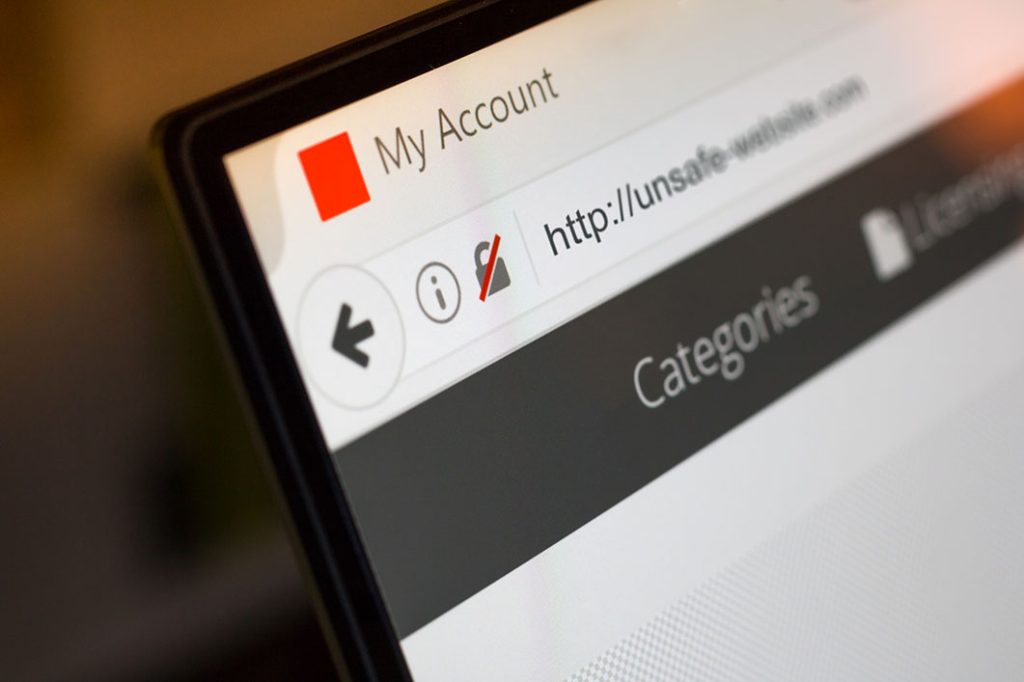
Without an SSL certificate, your site loads over plain http, and modern browsers mark it as ‘Not secure’ in the address bar. For a business website that looks damaging, because visitors interpret that warning as a sign the site is unsafe or amateur.
There is also a practical risk. Passwords, form submissions and anything else typed into an unencrypted page travel in plain text and can be read by anyone intercepting the connection. For a site that collects enquiries, that is not a risk worth taking.
Types of SSL Certificates
Certificates come in a few flavors, and the right one depends on how much verification you need. By validation level:
Domain Validation (DV)
The entry level. It proves you control the domain and is issued in minutes. It provides full encryption, which is why it is the default for most websites.
Organization Validation (OV)
The issuer verifies your business details too, adding a layer of identity confirmation for companies that want it.
Extended Validation (EV)
The most thorough check, with a full business background check, shown for high-stakes websites such as banks.
By coverage, a standard certificate covers one domain, a wildcard certificate covers a domain and its subdomains, and a multi-domain certificate covers several unrelated domains. For most small and medium businesses, a DV certificate is perfectly sufficient, and a wildcard DV certificate is the practical sweet spot.
How to get an SSL Certificate
The good news is that SSL no longer has to cost anything. Let’s Encrypt, a free and automated certificate authority, issues DV certificates that are trusted by every major browser, and most hosting providers install them automatically.
Midphase includes free SSL on its hosting plans. Every shared hosting plan comes with unlimited free Let’s Encrypt wildcard certificates, which are installed automatically and cover your domain and subdomains, and the Premier plan also includes a DV SSL certificate plus SiteLock on annual terms. VPS plans include a free SSL certificate for the first year when you buy annually. There is no technical setup involved; the certificates are handled for you.
If you manage your own hosting elsewhere, your provider almost certainly offers a similar free option through Let’s Encrypt or another authority, and it takes a few minutes to enable.
Is a free SSL Certificate enough?
For the vast majority of websites, yes. A free DV certificate provides the same encryption as a paid certificate of the same type, and the padlock and https benefits are identical. Paid certificates mainly add stronger identity verification, such as OV or EV validation, or features like warranties and higher support levels.
If you run an ecommerce store, a site collecting sensitive customer data or a business where proving your identity matters, it is worth comparing OV and EV options. If you run a standard business website, the free SSL included with your hosting covers everything you need.
Summary
An SSL certificate encrypts the connection between your website and your visitors, confirms your site is genuine and keeps sensitive data private. Browsers now treat SSL as the baseline, around 90% of websites serve HTTPS by default, and running without it means a Not secure warning and a weaker first impression.
Getting one is no longer a chore. Midphase shared hosting includes unlimited free Let’s Encrypt SSL certificates that install automatically, so your site is secure from the moment it launches. If you already host elsewhere, a free certificate is a few clicks away, and there is little reason to run a website without one.
Every Midphase shared hosting plan includes free SSL, or read the knowledgebase guide to SSL certificates if you want the technical detail.
Frequently Asked Questions
SSL is the older name for the encryption technology, and TLS is the modern version that replaced it. The two terms are used interchangeably today, and an SSL certificate is technically a TLS certificate.
Yes. Even a simple site benefits from the padlock, avoids the ‘Not secure’ warning and gets a small search ranking advantage. Around 90% of websites now serve HTTPS by default, so SSL is the expected baseline.
Free certificates from Let’s Encrypt cover most websites, and Midphase shared hosting includes unlimited free Let’s Encrypt wildcard certificates automatically. Paid certificates add stronger identity verification, which some larger sites choose.
A standard certificate covers one domain. A wildcard certificate covers a domain and all of its subdomains, such as blog.yourdomain.com and shop.yourdomain.com, which is convenient when you run several services under one name.
Look at the address bar. If you see a padlock and the address starts with https, your site has a valid SSL certificate. If you see a warning or the address starts with http, SSL is missing or has expired.