
Improve the readability of favicon's

I got linked to an interesting article on Typophile.com today and thought it’d be good to share 🙂
In the article Miha shows off his use of ninja skills and false color to improve the readability of favicons, if you’re into design or typography you can check out the full article at: http://typophile.com/node/60577
What is a favicon?
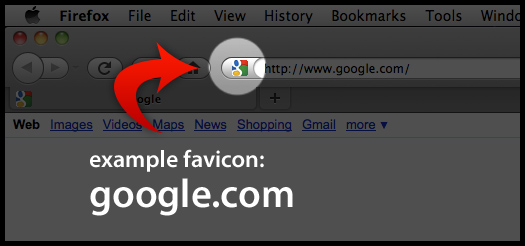
If you don’t know what a favicon is, simply put it’s the little icon that appears when you visit certain websites to the left of your browsers address bar. If your website has a favicon and its bookmarked, your favicon will also appear in the users bookmarks – quickly identifying the bookmark as your website & helping it to stand out..
How do I create a favicon?
Creating your own favicon is really simple.
- Create your icon. There are really good freeware icon editors, I recommend:
- Save your file, importantly it needs to be named ‘favicon.ico’
- Upload it to the root of your website – this is usually inside the public_html folder.
- Add this line of html to the header of each page
<link rel="icon" href="/favicon.ico" type="image/x-icon" />– this isn’t strictly necessary but it helps nudge some of the older browsers. - Hey presto – your site now has favicon goodness
Tip: Convention is to keep your favicon.ico in the root of your site. But if you really want to call your favicon something else, or store it in a different folder on your website eg: /library/images/my_favicon.ico – just change the path & file name in html .
—–
tom